


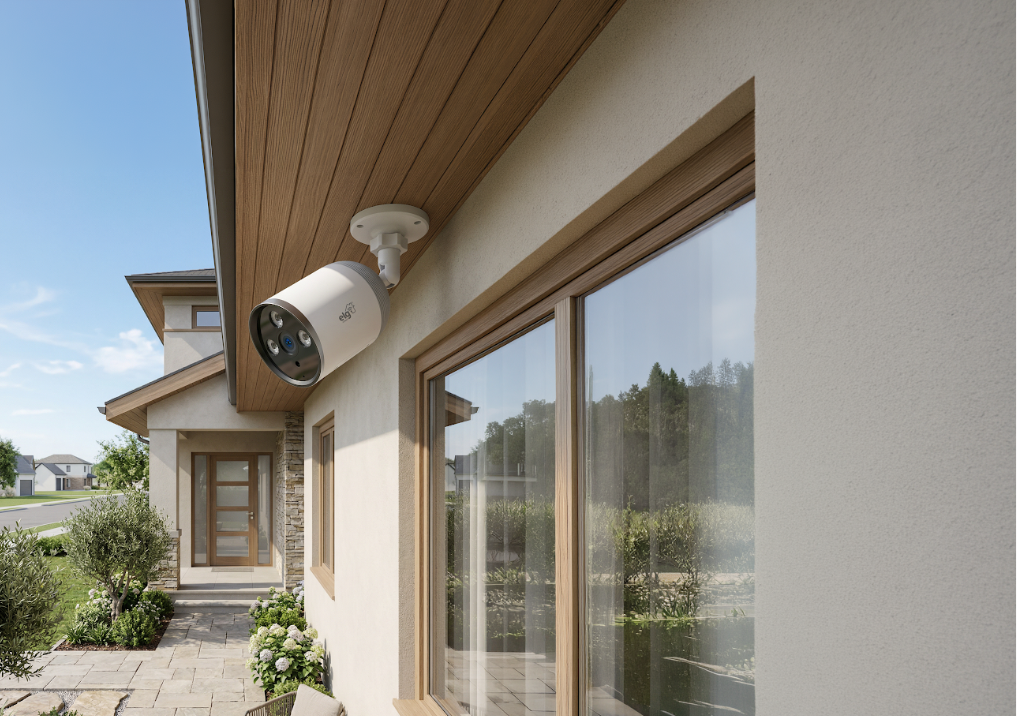
Home security is a top priority when it comes to ensuring peace of mind and protection for your entire family. With technological advances over the years, Wi-Fi security cameras have emerged as an innovative and efficient solution for monitoring and protecting our homes. But are they really secure? Here, we’ll explain the benefits and share tips for using Wi-Fi security cameras safely, helping you protect your home and family.
What Are Wi-Fi Security Cameras?
Wi-Fi security cameras are smart devices connected to the internet that allow you to remotely monitor your home or property. In general, they offer a variety of advanced features, such as live streaming, motion detection, and real-time notifications. All of this provides an additional level of monitoring and protection.
Is It Safe to Have a Wi-Fi Security Camera?
A Wi-Fi security camera adds an extra layer of security to your home. These devices are designed with advanced features such as data encryption and secure authentication, helping protect the information transmitted over the network. In addition, choosing a trusted brand and following security best practices can help you protect your home safely and effectively.
However, it is important to take a few precautions. Below are some tips to help you feel more confident when using Wi-Fi security cameras:
- Protect Your Wi-Fi Network
Make sure your Wi-Fi network is protected with a strong, unique password, and keep your devices updated to receive the latest security fixes. It is also recommended to create a separate network for your security devices, isolating them from other connected devices. - Choose Camera Locations Carefully
When installing Wi-Fi security cameras, make sure they are pointed toward vulnerable areas such as entrances, windows, and garages. Avoid pointing cameras toward neighboring properties to respect others’ privacy. - Use Strong Passwords and Secure Authentication
Changing default passwords is an essential step in preventing unauthorized access to your Wi-Fi security cameras. Use strong passwords containing uppercase and lowercase letters, numbers, and special characters. - Keep Software Updated
Keep your Wi-Fi security cameras updated with the latest software and firmware versions provided by the manufacturer. These updates often include important security fixes that help protect your devices against threats.
Get Maximum Protection with ELG Connect Security Cameras
With ELG Connect security cameras, you get military-grade encryption and data security without having to worry about complicated installation or technology. Discover our two models below and find out which one best meets your needs:
Full Color Camera
Model SHCF601
With the SHCF601 Full Color Camera, you get color images even at night. It also features Full HD 1080p resolution, two-way audio, color night vision, and analytical monitoring area settings, allowing you to define a specific area for surveillance.
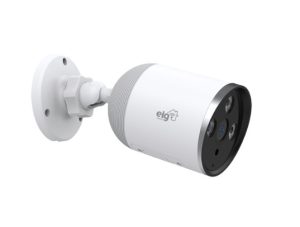
Features:
- ONVIF Standard
- Two-Way Audio
- App Control
- 6x Digital Zoom
- Full HD 1080p
- Real-Time Monitoring
- Color Night Vision
- Privacy Mode
- Wide Viewing Angle
- Sensitivity Adjustment
- Supports MicroSD Cards up to 128 GB
360 Camera
Model SHCR600
With a compact, sophisticated, and discreet design, the SHCR600 360 Camera is ideal for monitoring indoor and outdoor areas, providing broad viewing coverage in any environment. It features Full HD 1080p resolution, two-way audio, sound detection, and voice control with Alexa and Google Assistant. It also includes night vision, motion detection, 360° viewing, up to 6x digital zoom, motorized horizontal and vertical rotation, auto-tracking, and sound detection.
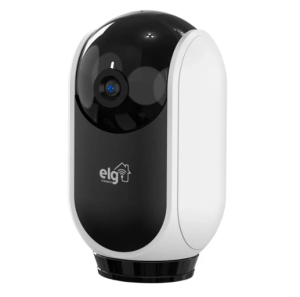
Features:
- Two-Way Audio
- App Control
- 6x Digital Zoom
- Full HD 1080p
- Real-Time Monitoring
- Night Vision
- Privacy Mode
- Monitoring Area Settings
- 360° View
- Sensitivity Adjustment
- Supports MicroSD Cards up to 128 GB
- Auto-Tracking / Follow Me
Invest in your home security with Wi-Fi security cameras and enjoy greater peace of mind knowing you are taking an extra step to protect your home and the people you care about most. Take care of your well-being and security with ELG Connect Wi-Fi security cameras and spend more time focusing on what really matters.
Did you like these tips? Follow @elgconnect on Instagram to learn more about technologies that make your routine easier and explore the ELG product portfolio in detail!



Compare
Contact


Where we are
- •8300 Dona Francisca St. - Distrito Industrial, Joinville - SC, 89219-600, Brazil
- •1885 SW 31st Avenue, Hallandale Beach, FL 33009, United States
- •87 Wing Lok St, Sheung Wan, Hong Kong
Social Media


 Business Quote
  Contact ELG
  Products